
Dashboard & widgets

Your business at a glance

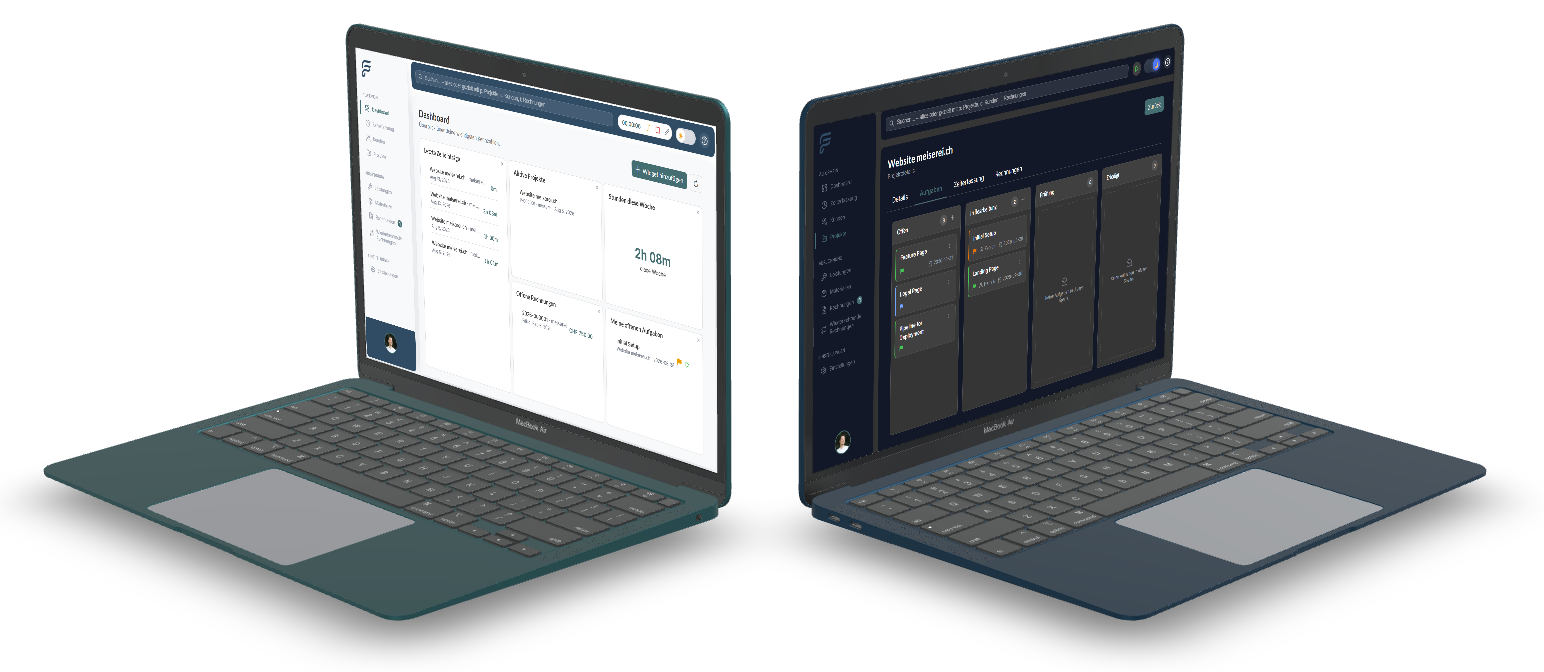
The dashboard is the central start page after login. It is completely based on a modular widget system – each module provides its own widgets that you arrange individually. Drag & drop, different sizes and user-specific configuration ensure a working environment that fits you exactly.

FlowBillDashboardWidgets & personalization
  • Widget system

  • Drag & drop layout

  • Widget configuration

  • Widget actions

  • Statistics widgets

  • Plan & permissions

  • Widget system
  • Drag & drop layout
  • Widget configuration
  • Widget actions
  • Statistics widgets
  • Plan & permissions
01

Widget system

The dashboard itself has no business logic – it exclusively provides layout and infrastructure. All content is delivered by the individual modules: time tracking, customers, projects, invoices and statistics each provide their own widgets. New modules can add their own widgets at any time without adapting the dashboard. Widgets are centrally registered with ID, title, category, supported sizes and required permissions.
02

Drag & drop layout

Each user can customize their dashboard individually: add, remove, move, enlarge and shrink widgets – all via drag & drop. The configuration is permanently saved and restored on each login. The responsive grid system automatically adapts to desktop, tablet and mobile. On smaller devices, widgets are displayed one below the other, the order remains identical to the desktop configuration.

03

Widget configuration

The configuration is saved user-specifically, so that different users can use the same widget differently. New users automatically receive a pre-configured standard dashboard with the most important basic widgets and can start productively immediately.

04

Widget actions

Widgets not only serve for display but offer direct access to content and actions. Each widget is simultaneously an entry point into the corresponding module – one click leads directly to the detail view. Additionally, actions can be triggered directly from the widget: for example, start the timer via the task widget or create a new invoice directly via the invoice widget. Widgets deliberately operate at a compact level – for complete workflows, the user navigates to the respective module.

05

Statistics widgets

Statistics widgets show compact metrics at a glance: revenue this month, revenue this year, recorded hours, active projects and open invoices. Other widget categories cover time tracking, customers, projects and invoices – for example today's hours, latest time entries, number of customers, active projects, open invoices and outstanding payments. In the Business plan, financial widgets such as account balance, cash flow and profit are added.

06

Plan & permissions

Which widgets are available depends on the active subscription plan. The Free plan includes all basic widgets for time tracking, customers, projects, invoices and statistics. The Starter plan adds dashboard personalization. The Business plan adds financial widgets. Unavailable widgets are shown in the catalog with a lock symbol – widgets already set up on the dashboard are no longer shown in the catalog.

Plans & limits

The dashboard with basic widgets is available in all plans. Personalization from Starter, financial widgets from Business.

FreeBasic widgets
StarterPersonalization
BusinessFinancial widgets

Keep your business in view

Start today with FlowBill and set up your personal dashboard with all important metrics.

FlowBill business software in action